


A useful AI moodboard prompt describes a decision: the light for a product shoot, the materials for a room, or the atmosphere of a campaign. “Make it beautiful” leaves those choices open. Naming the subject, setting, palette, materials, and composition gives you something more specific to review.
Below are eight copyable prompts with original generated examples. Each includes a suggested variation and a question to help turn the result into a creative direction. The projects are fictional, so you can replace the subject and constraints with your own.
Download all eight prompts as a text file, or choose a brief below.
| Brief | Use it to decide |
|---|---|
| Product launch | Align a launch shoot around the product, the setting, and the light before planning individual ads. |
| Brand identity | Discuss a visual identity through materials and applications before choosing a finished logo or typeface. |
| Interiors | Agree on atmosphere, materials, and a small set of furniture shapes before sourcing real products. |
| Fashion | Explore silhouette, movement, and fabric details for an editorial direction. |
| Food | Set the food styling and photography direction for a menu launch. |
| Social campaign | Build a repeatable visual direction for a small campaign across several post formats. |
| Website direction | Choose a photography and material direction before designing the site’s actual interface. |
| Film | Communicate lighting, framing, and emotional tone before developing a shot list. |
About the examples: We generated these eight boards with Codex’s built-in image generation tool on October 29, 2026. Each image uses the exact prompt printed beside it, with no reference upload. They are illustrations, not Quickmake screenshots or a comparison of different generators. The generation method explains what was recorded.
How to adapt a moodboard prompt
Start with one of the briefs below and replace the subject, audience, and intended deliverable. Then name the visual choices that matter: a light source, a short palette, a few materials, and the kinds of panels you need.
Adobe’s guidance on writing image prompts recommends specific, descriptive language and details such as style, feeling, and lighting. Our prompts apply that principle to a board containing several related images.
Use this structure when writing your own:
A [format] moodboard for [project and audience]. Include [main scene], [supporting scenes], and [material details]. Use [palette], [lighting], and [visual style]. Arrange the panels with [layout and space requirements]. Keep [important feature] consistent. Exclude [unwanted elements].
For a second direction, change one decision at a time. Keep the subject and composition stable while changing the light, or retain the lighting while changing the accent color. In a fresh generation, those instructions express a preference; they do not guarantee identical objects or framing. If your tool supports image editing, use the first result as the edit target to request a narrower change.
A generated board is one flattened image. To rearrange its parts independently, generate or gather individual images and assemble them on a canvas with editable notes and swatches. Our moodboard tools comparison covers collecting and sharing references; the AI canvas tools guide compares the wider workflows.
1. Product launch: a portable speaker for slow weekends
Align a launch shoot around the product, the setting, and the light before planning individual ads.
Copy this prompt:
A landscape 3:2 editorial moodboard for the launch of a fictional portable speaker for people who spend weekends outdoors. Arrange five photographic panels and a narrow strip of color swatches on an off-white background with clean gutters: one large hero image of a small rounded sand-colored speaker on a sunlit stone ledge; a campsite breakfast scene with the same speaker; a close-up of its woven fabric grille; a warm rock texture; and a softly lit canvas tent detail. Use warm limestone, muted olive, charcoal, and cream. Low morning sunlight, tactile materials, calm atmosphere, restrained product styling. Keep the speaker shape consistent wherever it appears. No logos, lettering, watermarks, interface chrome, or decorative stickers.
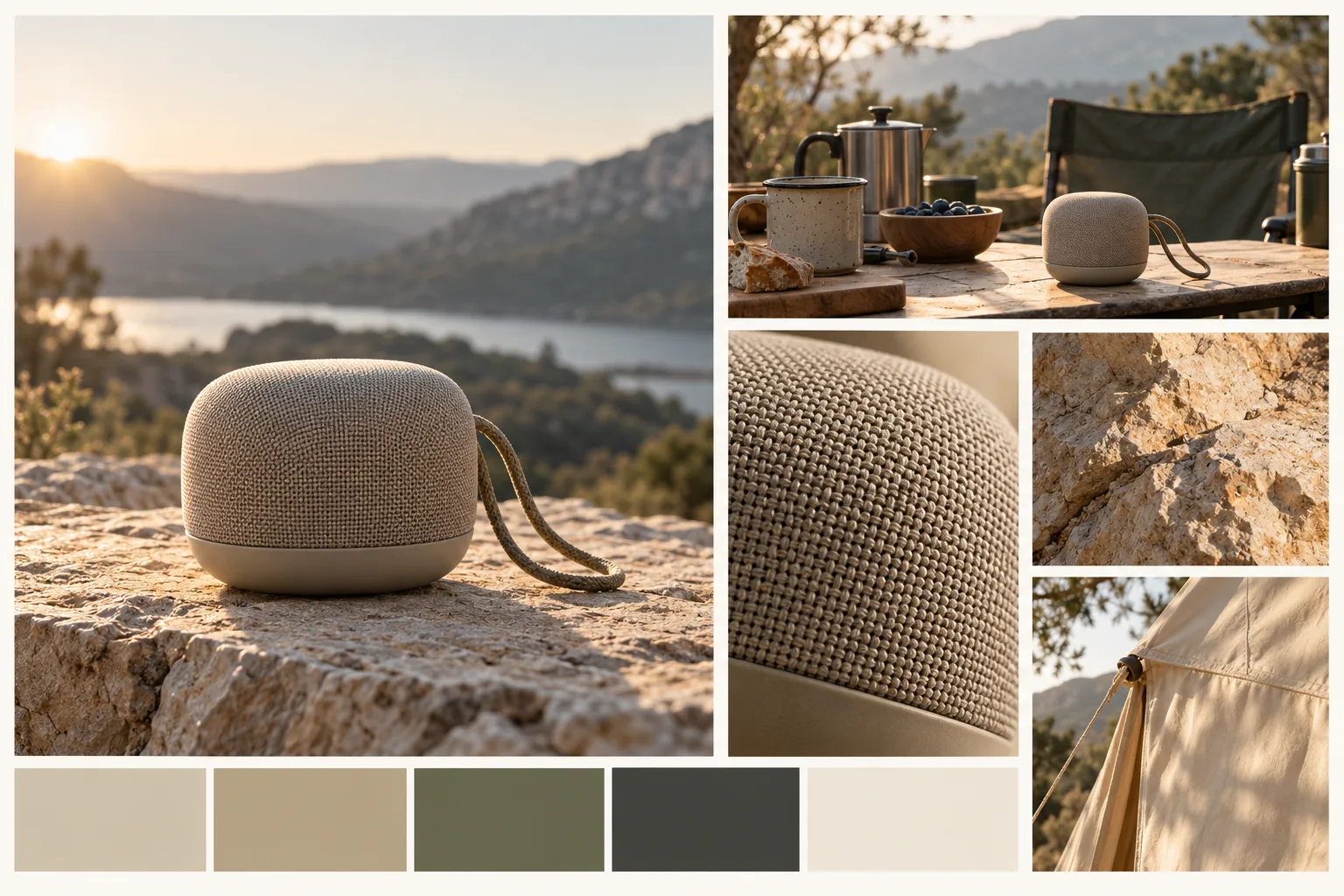
AI-generated example from the prompt above. Open the original PNG.

Reading the result: The warm side light ties the stone, woven grille, and campsite together. The speaker is still an invented object: use this result to discuss the scene, then bring in the approved product reference before making launch assets.
Variation to try: Replace low morning sunlight with overcast coastal light; keep the speaker, materials, and panel layout unchanged.
Review question: Can you describe the proposed lighting and setting without using the word “premium”?
2. Brand identity: an independent neighborhood bookshop
Discuss a visual identity through materials and applications before choosing a finished logo or typeface.
Copy this prompt:
A landscape 3:2 brand identity moodboard for a fictional independent neighborhood bookshop that hosts evening reading groups. On a warm ivory background, arrange a large photograph of a welcoming bookshop entrance, a close-up of cream uncoated paper, a burgundy fabric book cover, a simple abstract ink illustration of an open book, and blank bookmark and tote-bag mockups. Add a restrained strip of burgundy, forest green, warm ivory, and ink-black color swatches. Mix documentary photography with flat paper samples and a single hand-drawn illustration. Warm window light, thoughtful and approachable, with clear spacing and an editorial grid. Book spines and signage should be blank. No readable text, invented logos, watermarks, or software interface.
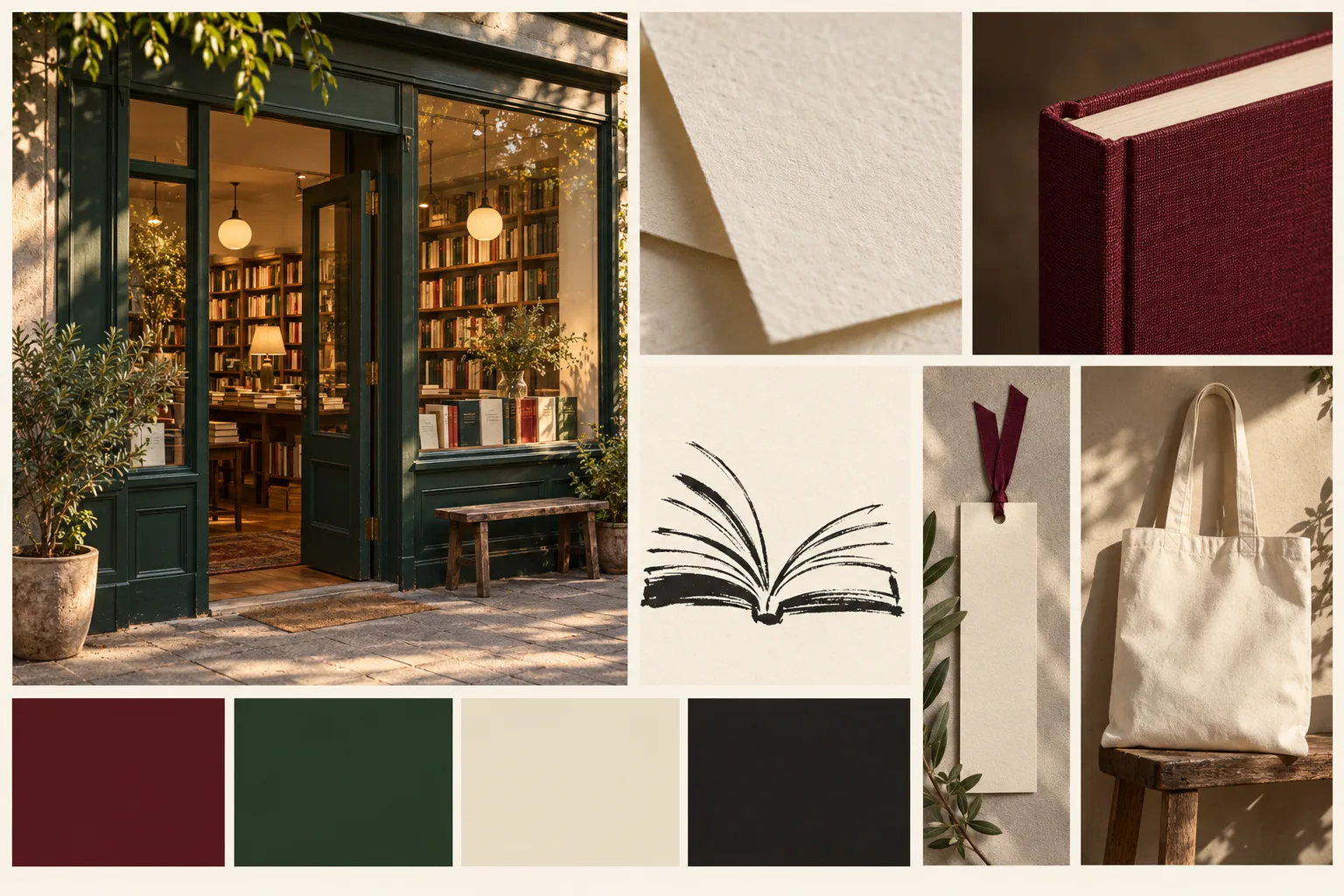
AI-generated example from the prompt above. Open the original PNG.

Reading the result: The burgundy cloth and forest-green storefront establish a material and color direction. The blank tote and bookmark leave the identity undecided. Small book-spine details also show why “no text” in a prompt still needs a visual check.
Variation to try: Replace the hand-drawn open-book illustration with a geometric paper-cut motif; keep the palette and photographic mood.
Review question: Which two choices would still communicate the identity if the shop name were removed?
3. Interiors: a compact apartment reading corner
Agree on atmosphere, materials, and a small set of furniture shapes before sourcing real products.
Copy this prompt:
A landscape 3:2 interior design moodboard for a compact apartment reading corner with a quiet, lived-in atmosphere. Use one large photographic panel of a single low oak lounge chair with a cream wool cushion beside a narrow window and a small wall-mounted shelf. Surround it with four smaller panels showing oak grain, textured cream wool, a matte clay lamp, and a linen curtain filtering daylight. Place a small strip of oat, honey oak, clay, and soft charcoal swatches along the bottom. Soft north-window light, realistic material texture, modest proportions, uncluttered styling. Use a warm white background and simple aligned gutters. No luxury showroom, oversized furniture, people, text, logos, watermarks, or interface.
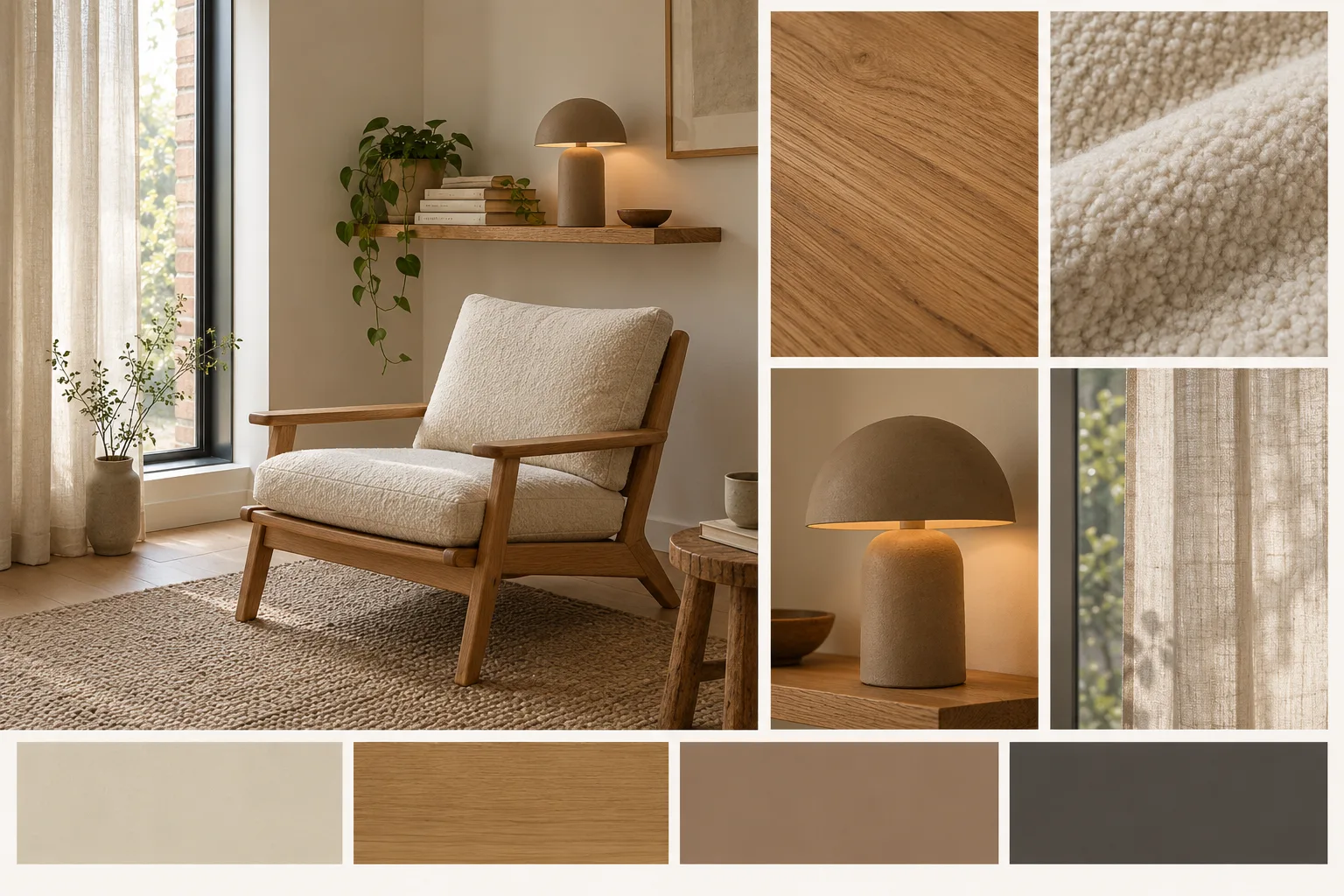
AI-generated example from the prompt above. Open the original PNG.

Reading the result: The result makes the oak, wool, linen, and clay relationship easy to judge. It also turns the lamp on in the daytime scene. If daylight alone is the decision, remove that warm light in a follow-up; confirm real furniture dimensions separately.
Variation to try: Change the scene to evening lamplight while retaining the same chair, shelf, fabrics, and palette.
Review question: Does the direction still work in the actual room’s dimensions and available daylight?
4. Fashion: a city cycling capsule collection
Explore silhouette, movement, and fabric details for an editorial direction.
Copy this prompt:
A landscape 3:2 fashion moodboard for a fictional city cycling capsule collection for adults. Arrange one large full-body editorial photograph of an adult woman standing beside a simple commuter bicycle, wearing a cobalt-blue lightweight jacket, charcoal straight-leg trousers, and white trainers. Add four smaller panels: the same jacket draped over a bicycle saddle, a close-up of its matte ripstop fabric, a subtle reflective cuff detail, and an overcast concrete street with a painted blue cycle lane. Include cobalt, charcoal, silver, and chalk-white swatches. Crisp natural overcast light, practical silhouettes, relaxed posture, contemporary documentary styling, generous white gutters. No racing kit, visible brand marks, text, watermarks, or software interface.
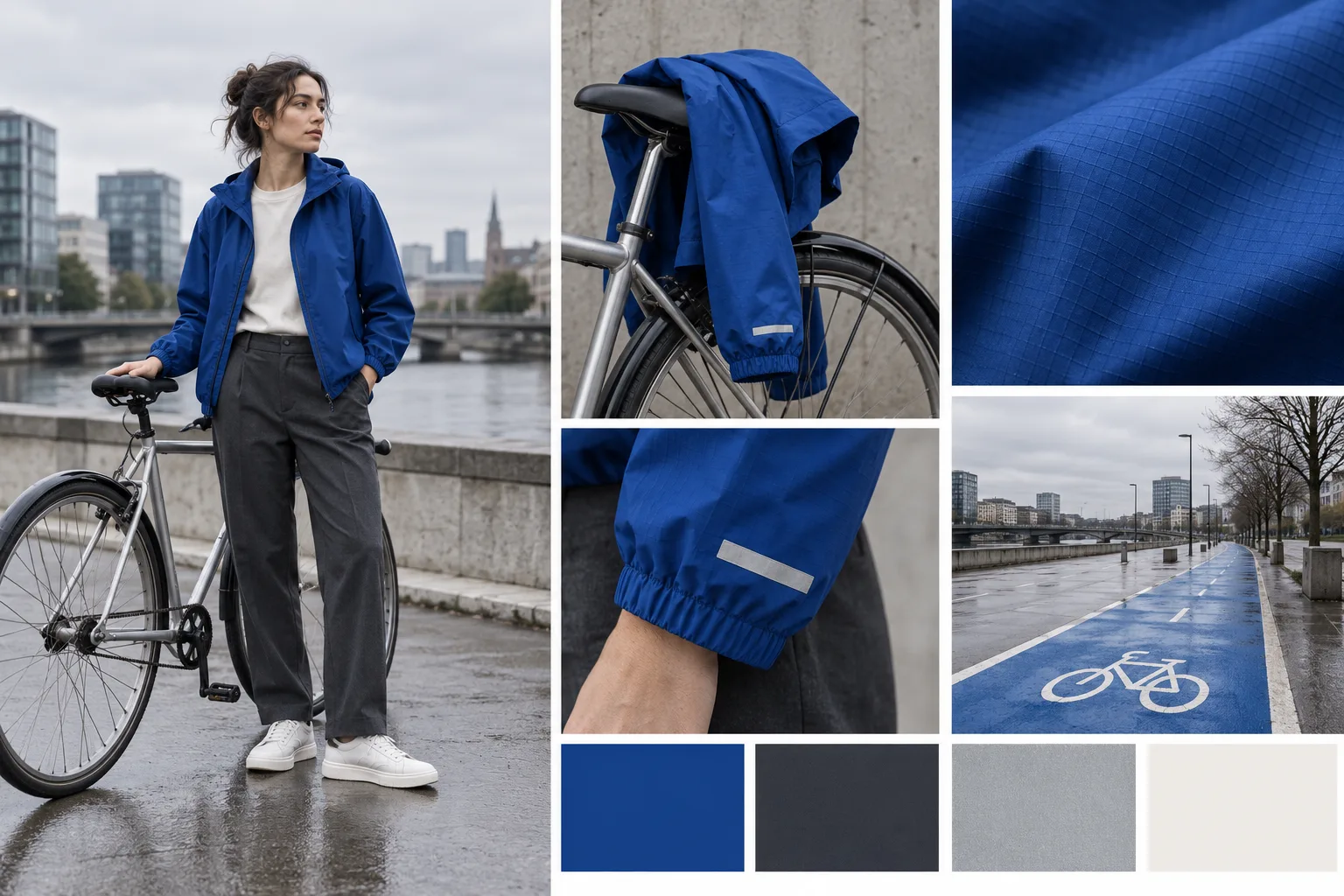
AI-generated example from the prompt above. Open the original PNG.

Reading the result: Cobalt repeats across the worn jacket, fabric detail, and street accent. The close-ups suggest construction details but do not establish a garment specification or prove that a fabric is reflective.
Variation to try: Replace cobalt with rust orange across the jacket and accent swatch; retain the silhouette, setting, and lighting.
Review question: Can the proposed silhouette and detailing be made with the collection’s actual fabrics and construction?
5. Food: a seasonal bakery breakfast campaign
Set the food styling and photography direction for a menu launch.
Copy this prompt:
A landscape 3:2 food photography moodboard for a fictional neighborhood bakery's autumn breakfast campaign. Arrange one large overhead photograph of a pear pastry and black coffee on a small cream ceramic plate and linen-covered table. Add four supporting panels: a close-up of flaky pastry with baked pear, whole pears beside a folded checked cloth, a hand tearing a plain croissant, and a quiet bakery table near a window. Include warm cream, toasted brown, pear green, and soft espresso color swatches. Gentle side-window light, believable crumbs, natural portions, informal breakfast styling, appetizing texture. Use clean cream gutters and a restrained editorial layout. No lettering, menus, logos, watermarks, extravagant garnishes, or software interface.
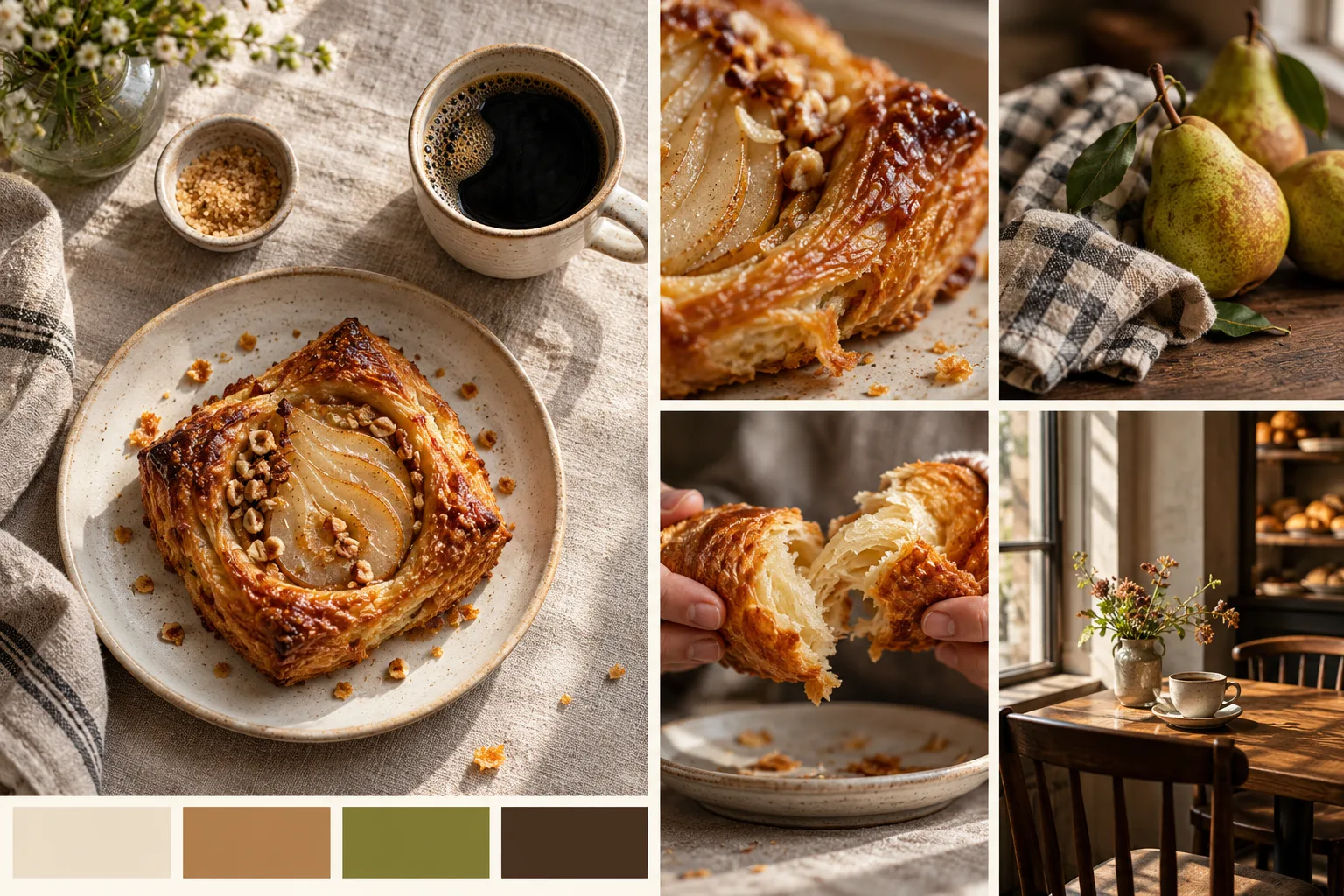
AI-generated example from the prompt above. Open the original PNG.

Reading the result: The pear, coffee, linen, and warm window light form a coherent breakfast direction. The result also adds scattered toppings that were not specified. Replace those details with the real pastry styling before using the image to represent a menu item.
Variation to try: Change the featured fruit from pear to plum and the green accent to muted purple; keep the light and styling.
Review question: Do the shown ingredients, portion sizes, and serving details match the menu you will actually sell?
6. Social campaign: a neighborhood repair weekend
Build a repeatable visual direction for a small campaign across several post formats.
Copy this prompt:
A landscape 3:2 campaign moodboard for a fictional neighborhood repair weekend inviting adults to mend everyday belongings together. On a pale gray background arrange three tall editorial photo panels: a close-up of adult hands sewing a patch onto a denim jacket, an adult repairing a wooden chair at a shared workbench, and a neatly arranged flat lay of thread, scissors, and a small screwdriver. Leave clear negative space at the top of each photo for copy to be added later. Add smaller denim, worn wood, and orange cotton texture samples plus navy, warm orange, cream, and gray swatches. Bright soft daylight, candid and welcoming, ordinary community workshop setting. No rendered text, logos, watermarks, or social-media interface.
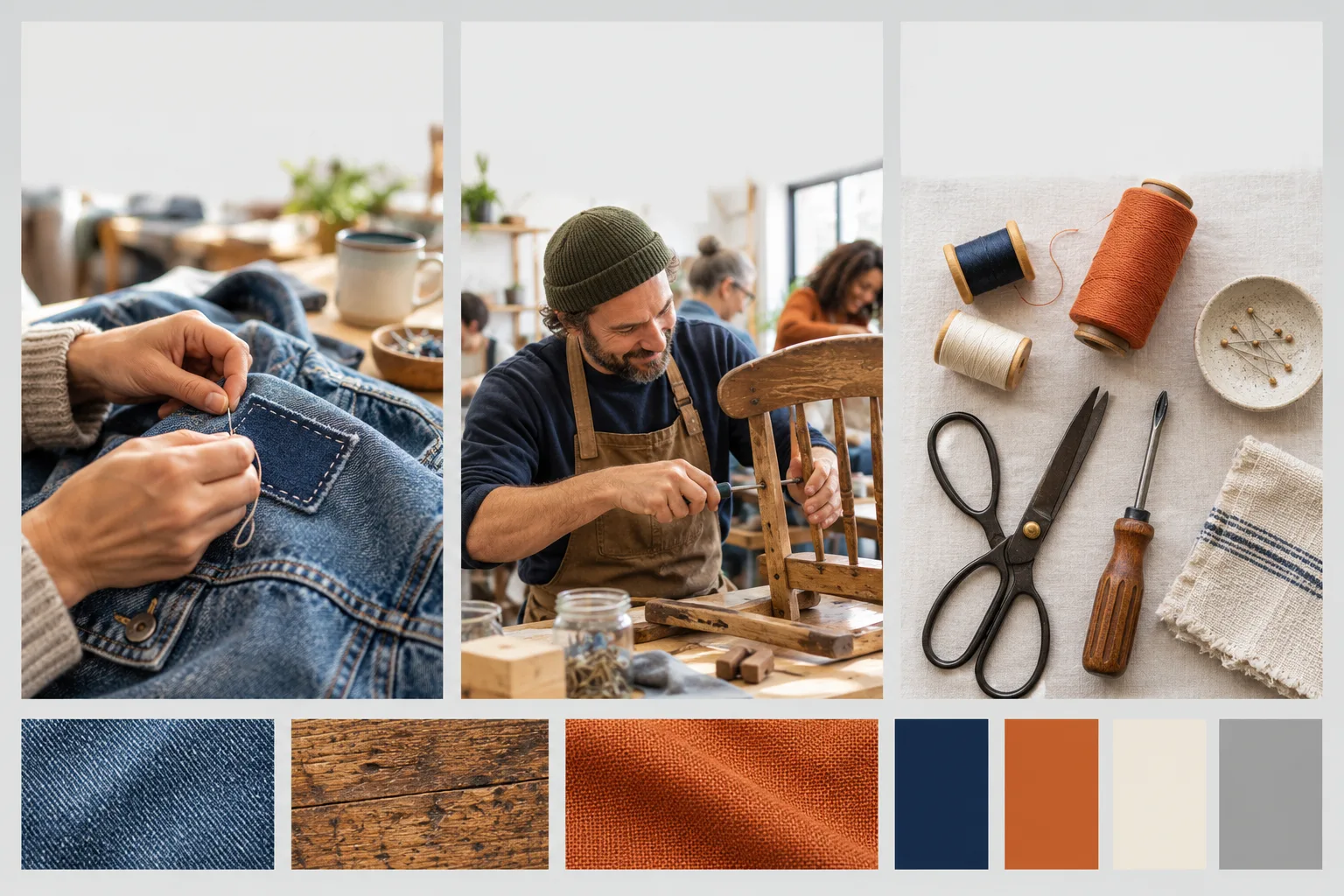
AI-generated example from the prompt above. Open the original PNG.

Reading the result: The three tall panels leave useful space above the action for campaign copy. Try actual headlines in that space and inspect each crop at phone size before committing to a post layout.
Variation to try: Change the campaign accent from warm orange to grass green; preserve the workshop setting and generous copy space.
Review question: Will the subjects remain recognizable when each panel becomes a narrow mobile crop?
7. Website direction: a small coastal guesthouse
Choose a photography and material direction before designing the site’s actual interface.
Copy this prompt:
A landscape 3:2 visual direction moodboard for the website of a fictional small coastal guesthouse. Arrange a large wide photograph of a quiet sea horizon with open sky and room for a headline, a smaller sunlit bedroom with white linen and pale timber, a breakfast table with simple ceramics, a close-up of textured plaster, and a softly shaded coastal path. Include chalk white, pale sand, sea blue, and muted slate color swatches on a warm white background. Natural daylight, airy compositions, understated hospitality, clear editorial gutters, believable modest rooms. This is a photography and material moodboard, not a finished website mockup. No screens, interface controls, rendered headings, logos, watermarks, pools, or grand resort architecture.
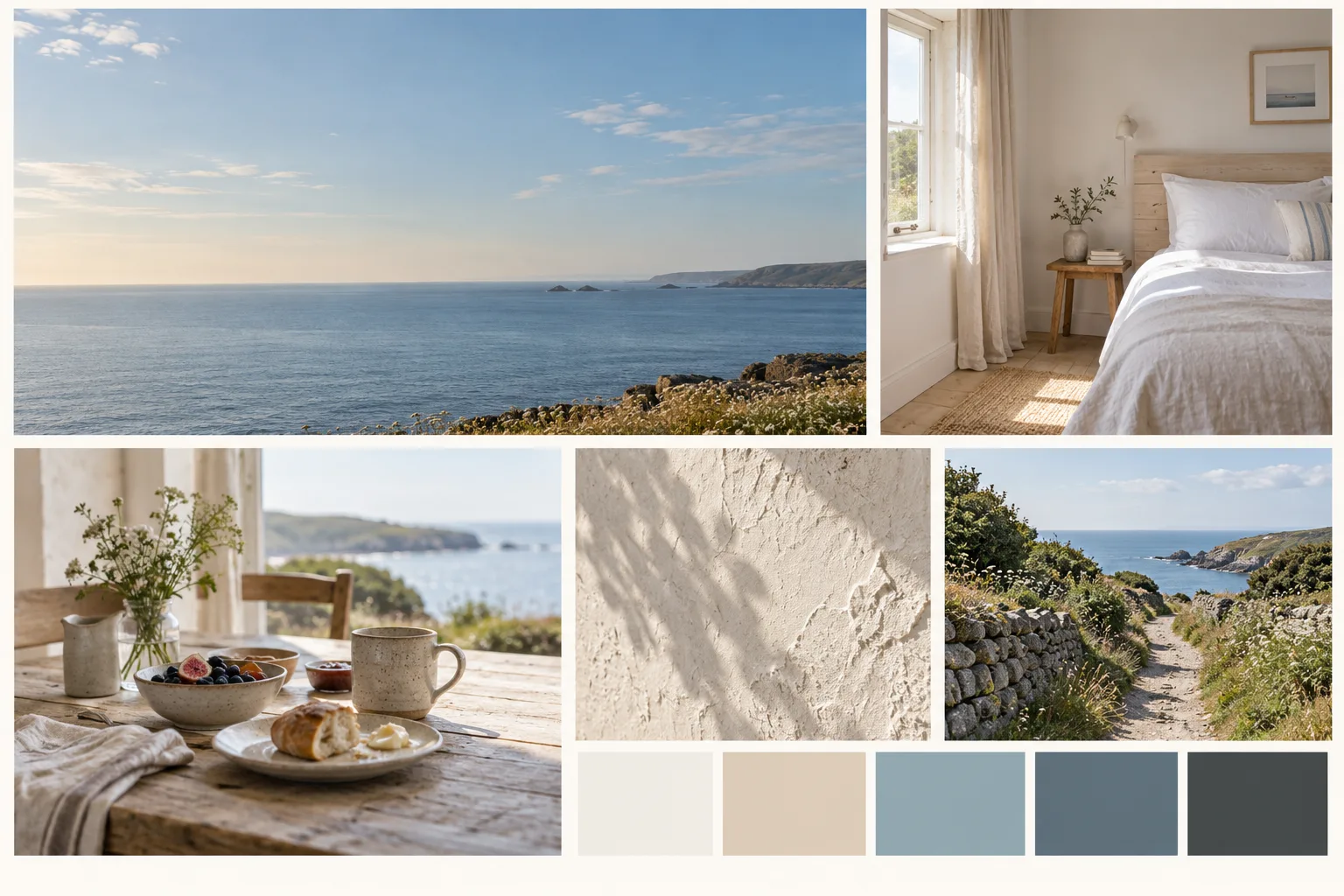
AI-generated example from the prompt above. Open the original PNG.

Reading the result: The open sky offers a plausible headline area, while the smaller scenes describe the stay. These are fictional rooms and views. Use the board to brief a shoot of the actual property, then check text contrast on the chosen photograph.
Variation to try: Change the season to early autumn with cooler daylight; keep the modest rooms, coastal setting, and open headline space.
Review question: Which image can support readable website copy without hiding the property’s distinguishing details?
8. Film: a late-night railway reunion
Communicate lighting, framing, and emotional tone before developing a shot list.
Copy this prompt:
A landscape 3:2 cinematic moodboard for an original short film about two adult siblings meeting again at a quiet railway station after years apart. Arrange five photographic panels: a large wide shot of the two figures standing apart on a rain-darkened platform, a close-up of an adult hand holding a creased blank ticket, reflections of amber station lights in a puddle, an empty teal-painted bench, and a medium shot of the siblings seen from behind beneath a station canopy. Consistent dark coats, restrained body language, cool blue night with warm amber practical lights, subtle film grain, grounded contemporary setting. Use dark charcoal gutters and a small blue, amber, teal, charcoal palette strip. No readable signage, text, logos, watermarks, or named-film references.
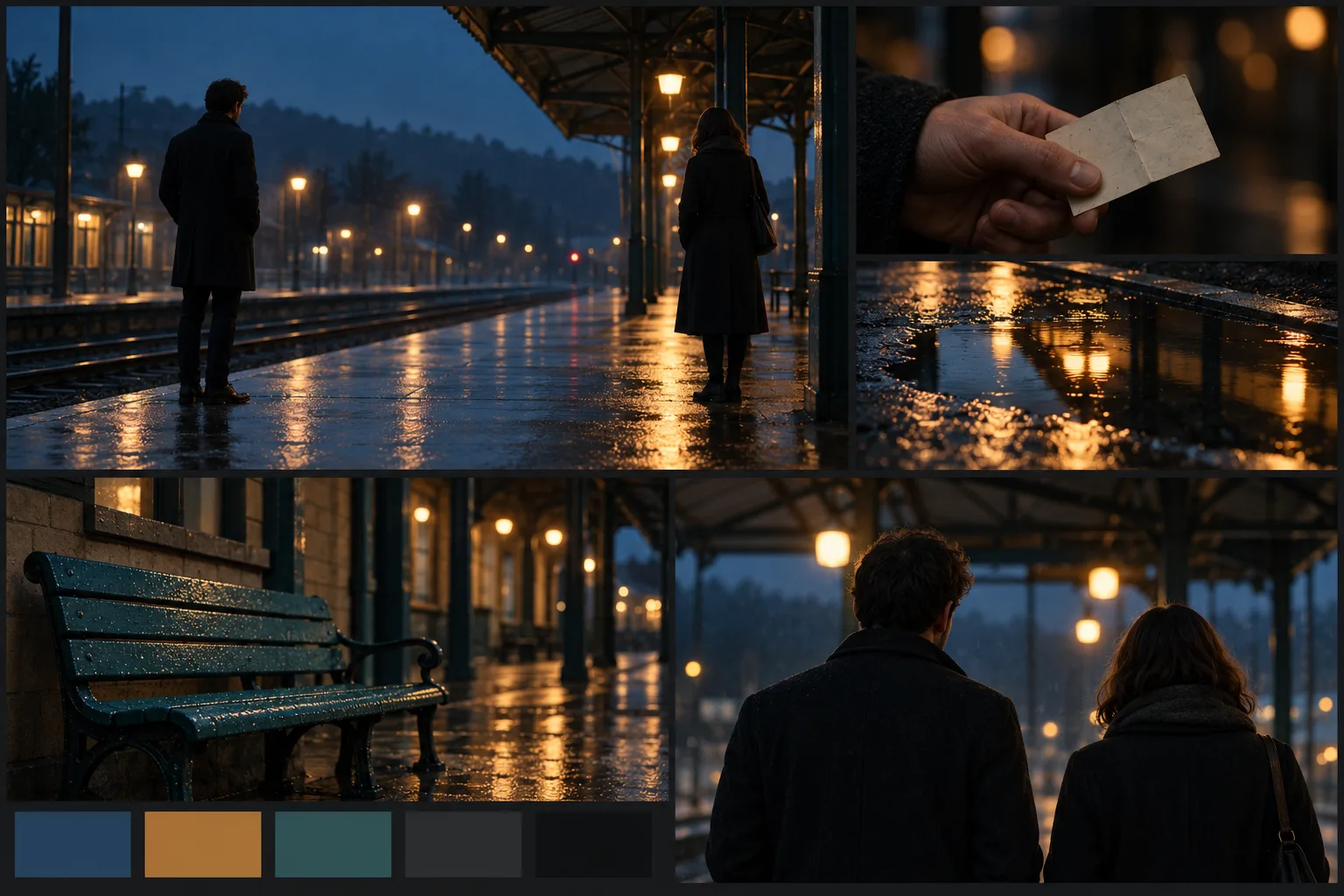
AI-generated example from the prompt above. Open the original PNG.

Reading the result: The amber reflections and blue shadows carry across the frames, and the space between the figures supports the reunion brief. The insert and rear view suggest coverage; a separate shot list still needs timing, movement, and continuity decisions.
Variation to try: Change the weather to a dry, misty dawn; keep the framing, wardrobe, and emotional distance between the characters.
Review question: Can the crew reproduce the lighting and location conditions, and do the frames communicate the intended relationship?
Turn the result into a working moodboard
Choose the direction you want to develop and add a short note beside each useful reference: “keep this light,” “try this material,” or “reserve this space for copy.” Add actual product photos, fabric samples, locations, or approved brand assets wherever the decision depends on something real.
In Quickmake, you can arrange uploaded and generated images with notes in the moodboard workspace, then compose the chosen direction with editable text and shapes in the design editor. Keep the original prompt next to the image so a collaborator can see which parts were requested and which appeared in the output.
Before asking for approval, write one sentence naming the decision. For the speaker example, that could be: “Approve the warm morning campsite direction for the launch shoot; product shape and packaging will come from the supplied references.”
For the full process from brief to review, follow how to make a moodboard online. If the board is feeding an advertising campaign, the ad creative brief template helps connect the visual direction to the audience, message, and deliverables.
How we generated these examples
We wrote eight original briefs and submitted each printed prompt once to Codex’s built-in image generation tool. No reference images were uploaded, and we did not regenerate or retouch the resulting compositions. Each returned image was 1536 × 1024 pixels. We encoded WebP copies for the article and retained the original PNGs linked under the images.
The tool did not expose a model version or seed in its result, so we do not label these examples as a specific model’s output or promise exact reproduction. The variations are suggestions for readers to try; they are not additional generated examples.
The review notes describe what is visible in these outputs, including details that need checking. Palette swatches are visual suggestions, not approved brand color values. If exact colors, typography, product geometry, or layout are part of the deliverable, specify and verify those separately in the editable design.
Questions about AI moodboard prompts
Can I use these prompts in a different image generator?
Yes, use the descriptive brief as a starting point and adapt it to the controls your tool provides. Set the aspect ratio separately if needed. Different tools can interpret the same panel layout, materials, or scene differently; the examples here show one generation workflow.
How do I make the moodboard less generic?
Replace mood words with visible choices. Instead of “cozy interior,” specify an oak chair, cream wool, linen curtains, and north-window light. Include a real project constraint, such as a compact room or space for a campaign headline, and remove images that do not help answer the brief.
Can I edit individual panels in these generated boards?
The linked images are flattened PNGs. They do not contain separate editable photos, text layers, or color swatches. For an editable board, assemble individual images and add labels and palette values as separate canvas elements.